1
first_name;last_name
2
Silvia;Miller
3
Jonathan;Holmes
4
Sophia;Smith











O Gender-API é alimentado por inteligência artificial e ajuda você a descobrir se um primeiro nome é mais provável de ser usado por homens ou mulheres.
{
  "name": "elizabeth",
  "gender": "female",
  "samples": 355,
  "accuracy": 100,
  "duration": "34ms"
}
Experimente você mesmo. Insira um nome para ver o resultado.

Por que a determinação de gênero especializada supera modelos genéricos de IA.
Tempos de resposta mais rápidos em comparação com IA genérica
Mais nomes em nosso banco de dados
Melhor precisão na determinação de gênero
Seleciona a tua linguagem de programação para ver as instruções de instalação e exemplos de código
Official client library
Without Composer
Type-safe client
Node.js & Browser
Data science ready
Statistical computing
Enterprise ready
.NET integration
High performance
Elegant syntax
Windows Automation
Memory safe
Nossa biblioteca cliente oficial em PHP oferece uma forma prática de integrar a Gender API nos teus aplicativos PHP usando o gerenciador de pacotes Composer.
composer require gender-api/client<?php
use GenderApi\Client as GenderApiClient;
$client = new GenderApiClient('your-api-key');
// Simple gender lookup
$result = $client->getByFirstName('Elisabeth');
if ($result->genderFound()) {
echo $result->getGender(); // "female"
echo $result->getAccuracy(); // 99
}
// First name with country (e.g., "Andrea" varies by country)
$result = $client->getByFirstNameAndCountry('Andrea', 'IT');
echo $result->getGender(); // "male" (in Italy)
// Full name with automatic first/last name splitting
$result = $client->getByFirstNameAndLastName('Sandra Miller');
echo $result->getFirstName(); // "Sandra"
echo $result->getLastName(); // "Miller"
echo $result->getGender(); // "female"
// Email address analysis
$result = $client->getByEmailAddress('elisabeth.smith@company.com');
echo $result->getGender(); // "female"
// Batch processing - multiple names in one call
$names = ['Michael', 'Sarah', 'Kim'];
$results = $client->getByMultipleNames($names);
foreach ($results as $result) {
printf(
"%s: %s (%d%% confidence)\n",
$result->getFirstName(),
$result->getGender(),
$result->getAccuracy()
);
}
Implementação PHP independente, sem dependência do Composer, para projetos legados ou integrações simples.
function getGender($firstname) {
  $myKey = 'insert your server key here';
  $data = json_decode(file_get_contents(
  'https://gender-api.com/get?key=' .
  $myKey .
  '&name=' . urlencode($firstname)));
  return $data->gender;
  }

  echo getGender('markus'); //Output: male
Cliente com tipagem segura para projetos em TypeScript, com suporte completo a IntelliSense e verificação de tipos rigorosa.
npm install gender-api.com-client --saveimport { Client } from 'gender-api.com-client';
const client = new Client('your-api-key');
// Simple gender lookup
const result = await client.getByFirstName('Theresa');
console.log(`${result.first_name} is ${result.gender} (Probability: ${result.probability}`);
// First name with country (e.g., "Andrea" varies by country)
const resultWithCountry = await client.getByFirstName('Andrea', { country: 'IT' });
console.log(`${resultWithCountry.first_name} in Italy is ${resultWithCountry.gender}`);
// Full name with automatic first/last name splitting
const fullResult = await client.getByFullName('John Smith');
console.log(`${fullResult.first_name} ${fullResult.last_name} is ${fullResult.gender}`);
// Email address analysis
const emailResult = await client.getByEmailAddress('marie.curie@example.com');
console.log(`Email gender: ${emailResult.gender}`);
// Batch processing - multiple names in one call
const names = [
{ id: '1', first_name: 'Theresa', country: 'US' },
{ id: '2', first_name: 'John', country: 'US' }
];
const batchResults = await client.getByFirstNameMultiple(names);
batchResults.forEach(r => {
console.log(`ID: ${r.input.id}, Gender: ${r.gender}`);
});
// Account statistics
const stats = await client.getStatistics();
console.log(`Credits Remaining: ${stats.remaining_credits}`);
Cliente JavaScript fácil de usar para ambientes Node.js e navegador, com API baseada em Promises.
npm install gender-api.com-client --saveconst { Client } = require('gender-api.com-client');
const client = new Client('your-api-key');
// Simple gender lookup
client.getByFirstName('Theresa').then(result => {
console.log(`${result.first_name} is ${result.gender} (Probability: ${result.probability}`);
}).catch(error => {
console.error('Error:', error);
});
// First name with country (e.g., "Andrea" varies by country)
client.getByFirstName('Andrea', { country: 'IT' }).then(result => {
console.log(`${result.first_name} in Italy is ${result.gender}`);
}).catch(error => {
console.error('Error:', error);
});
// Full name with automatic first/last name splitting
client.getByFullName('John Smith').then(result => {
console.log(`${result.first_name} ${result.last_name} is ${result.gender}`);
}).catch(error => {
console.error('Error:', error);
});
// Email address analysis
client.getByEmailAddress('marie.curie@example.com').then(result => {
console.log(`Email gender: ${result.gender}`);
}).catch(error => {
console.error('Error:', error);
});
// Batch processing - multiple names in one call
const names = [
{ id: '1', first_name: 'Theresa', country: 'US' },
{ id: '2', first_name: 'John', country: 'US' }
];
client.getByFirstNameMultiple(names).then(results => {
results.forEach(r => {
console.log(`ID: ${r.input.id}, Gender: ${r.gender}`);
});
}).catch(error => {
console.error('Error:', error);
});
// Account statistics
client.getStatistics().then(stats => {
console.log(`Credits Remaining: ${stats.remaining_credits}`);
}).catch(error => {
console.error('Error:', error);
});
Cliente de API “pythônico”, com código limpo e legível, perfeito para data science, machine learning e aplicações web.
# Install: pip install gender-api-client
from gender_api import Client

client = Client(api_key="insert your server key here")

# Simple gender lookup
result = client.get_by_first_name("kevin")

if result.result_found:
    print(f"Gender: {result.gender}")  #Gender: male
    print(f"Accuracy: {result.accuracy}%")  #Accuracy: 99%
Python 3.*
import json
from urllib.request import urlopen
myKey = "insert your server key here"
url = "https://gender-api.com/get?key=" + myKey + "&name=kevin"
response = urlopen(url)
decoded = response.read().decode('utf-8')
data = json.loads(decoded)
print( "Gender: " + data["gender"]); #Gender: male
https://github.com/markus-perl/gender-api-client-python
https://pypi.org/project/gender-api-client/
Perfeito para análise estatística e fluxos de trabalho em ciência de dados em R, com integração perfeita.
install.packages(c("httr2", "dplyr", "tibble", "jsonlite"))#' Gender API Client (single name only)
#'
#' Gets gender by a first name, optionally filtered by country.
#'
#' @param name A character string containing a single first name.
#' @param country Optional two-letter country code, see: https://gender-api.com/en/api-docs
#' @param api_key Your Gender-API.com API key.
#'
#' @return A tibble containing the estimated gender, number of samples,
#' accuracy (0–100), and the request duration in ms.
#' @export
#'
#' @examples
#' \dontrun{
#' gender("Andrea", country="US", api_key="YOUR_KEY")
#' gender("Andrea", country="IT")
#' }
#'
library(httr2)
library(dplyr)
gender <- function(name, country = NULL, api_key = Sys.getenv("GENDER_API_KEY")) {
if (missing(name) || length(name) != 1) {
stop("`name` must be a single string.")
}
if (is.null(api_key) || api_key == "") {
stop("API key is required. Set with `Sys.setenv(GENDER_API_KEY='your_key')` or pass via `api_key`.")
}
args <- list(
key = api_key,
name = name
)
if (!is.null(country)) args$country <- country
resp <- request("https://gender-api.com/get") %>%
req_url_query(!!!args) %>%
req_perform()
if (resp_status(resp) >= 400) {
stop("Request failed: ", resp_status_desc(resp))
}
out <- resp_body_json(resp, simplifyVector = TRUE)
tibble::as_tibble(out)
}
gender("Andrea", country="US", api_key="<YOUR API KEY>")Implementação em Java pronta para uso corporativo, ideal para aplicações robustas e escaláveis, com tratamento de erros adequado.
import java.net.URI;
import java.net.http.HttpClient;
import java.net.http.HttpRequest;
import java.net.http.HttpResponse;
import java.io.IOException;
import com.google.gson.Gson;
import com.google.gson.JsonObject;

public class Main {

    public static void main(String[] args) {
        String apiKey = "YOUR_API_KEY";
        String url = "https://gender-api.com/v2/gender/by-first-name";
        String payload = "{\"first_name\":\"Theresa\"}";

        HttpClient client = HttpClient.newHttpClient();

        HttpRequest request = HttpRequest.newBuilder()
                .uri(URI.create(url))
                .header("Content-Type", "application/json")
                .header("Authorization", "Bearer " + apiKey)
                .POST(HttpRequest.BodyPublishers.ofString(payload))
                .build();

        try {
            HttpResponse<String> response = client.send(request, HttpResponse.BodyHandlers.ofString());

            Gson gson = new Gson();
            JsonObject json = gson.fromJson(response.body(), JsonObject.class);

            System.out.println("Gender: " + json.get("gender").getAsString());
            System.out.println("Probability: " + json.get("probability").getAsFloat());

        } catch (IOException | InterruptedException e) {
            e.printStackTrace();
        }
    }
}Integração .NET para aplicações em C#, com suporte completo a async/await e aos recursos modernos da linguagem.
using System;
using System.Net.Http;
using System.Text;
using System.Text.Json;
using System.Text.Json.Serialization;
using System.Threading.Tasks;

public record GenderResponse(
    [property: JsonPropertyName("first_name")] string FirstName,
    [property: JsonPropertyName("gender")] string Gender,
    [property: JsonPropertyName("probability")] double Probability
);

public class Program
{
    public static async Task Main()
    {
        var apiKey = "YOUR_API_KEY"; // Get your key at https://gender-api.com/en/account/auth-tokens
        using var client = new HttpClient();

        var requestBody = new { first_name = "Theresa" };
        var jsonContent = new StringContent(
            JsonSerializer.Serialize(requestBody),
            Encoding.UTF8,
            "application/json");

        // Add Authorization header
        client.DefaultRequestHeaders.Add("Authorization", $"Bearer {apiKey}");

        try
        {
            // Send POST request to API V2
            var response = await client.PostAsync("https://gender-api.com/v2/gender/by-first-name", jsonContent);
            response.EnsureSuccessStatusCode();

            // Parse response
            var jsonResponse = await response.Content.ReadAsStringAsync();
            var result = JsonSerializer.Deserialize<GenderResponse>(jsonResponse);

            Console.WriteLine($"Gender: {result.Gender}");
            Console.WriteLine($"Probability: {result.Probability}");
        }
        catch (Exception ex)
        {
            Console.WriteLine($"Error: {ex.Message}");
        }
    }
}Cliente Go de alto desempenho usando bibliotecas padrão para uma integração perfeita.
package main

import (
    "bytes"
    "encoding/json"
    "fmt"
    "io/ioutil"
    "net/http"
)

// Response defines the structure of the JSON response from Gender-API.com
type Response struct {
    ResultFound bool    `json:"result_found"`
    FirstName   string  `json:"first_name"`
    Gender      string  `json:"gender"`
    Probability float64 `json:"probability"`
}

func main() {
    // Determine the gender of a first name using API V2
    // ---------------------------------------------------
    apiKey := "YOUR_API_KEY" // Get your key at https://gender-api.com/en/account/auth-tokens
    firstName := "Theresa"

    // Construct the JSON payload
    requestBody, _ := json.Marshal(map[string]string{
        "first_name": firstName,
    })

    // Create the request
    req, err := http.NewRequest("POST", "https://gender-api.com/v2/gender/by-first-name", bytes.NewBuffer(requestBody))
    if err != nil {
        fmt.Printf("Error creating request: %s\n", err)
        return
    }

    // Set headers
    req.Header.Set("Content-Type", "application/json")
    req.Header.Set("Authorization", "Bearer "+apiKey)

    // Perform the request
    client := &http.Client{}
    resp, err := client.Do(req)
    if err != nil {
        fmt.Printf("Error making request: %s\n", err)
        return
    }
    defer resp.Body.Close()

    // Read the response body
    body, err := ioutil.ReadAll(resp.Body)
    if err != nil {
        fmt.Printf("Error reading response: %s\n", err)
        return
    }

    // Parse the JSON response
    var result Response
    if err := json.Unmarshal(body, &result); err != nil {
        fmt.Printf("Error parsing JSON: %s\n", err)
        return
    }

    // Output the result
    fmt.Printf("Name: %s\n", result.FirstName)
    fmt.Printf("Gender: %s\n", result.Gender)
    fmt.Printf("Probability: %.2f\n", result.Probability)
}Cliente Ruby simples e elegante para integrar a API com facilidade.
require 'net/http'
require 'json'
require 'uri'

# Determine the gender of a first name using API V2
# ---------------------------------------------------
api_key = 'YOUR_API_KEY' # Get your key at https://gender-api.com/en/account/auth-tokens
uri = URI('https://gender-api.com/v2/gender/by-first-name')

http = Net::HTTP.new(uri.host, uri.port)
http.use_ssl = true

request = Net::HTTP::Post.new(uri)
request['Content-Type'] = 'application/json'
request['Authorization'] = "Bearer #{api_key}"
request.body = JSON.dump({ first_name: 'Theresa' })

begin
  response = http.request(request)

  # Parse the JSON response
  result = JSON.parse(response.read_body)

  puts "Gender: #{result['gender']}"
  puts "Probability: #{result['probability']}"
rescue StandardError => e
  puts "Error: #{e.message}"
end
Automatiza teus fluxos de trabalho no Windows com nossa integração direta com o PowerShell.
# Determine the gender of a first name using API V2
# ---------------------------------------------------

$apiKey = "YOUR_API_KEY" # Get your key at https://gender-api.com/en/account/auth-tokens
$url = "https://gender-api.com/v2/gender/by-first-name"

$body = @{
    first_name = "Theresa"
} | ConvertTo-Json

$headers = @{
    "Content-Type" = "application/json"
    "Authorization" = "Bearer $apiKey"
}

try {
    $response = Invoke-RestMethod -Uri $url -Method Post -Headers $headers -Body $body

    Write-Host "Name: $($response.first_name)"
    Write-Host "Gender: $($response.gender)"
    Write-Host "Probability: $($response.probability)"
}
catch {
    Write-Host "Error: $_"
}
Cliente extremamente rápido e eficiente em memória para aplicações de alto desempenho.
use reqwest::header::AUTHORIZATION;
use serde::{Deserialize, Serialize};
use std::error::Error;

// Add to Cargo.toml:
// [dependencies]
// reqwest = { version = "0.11", features = ["json"] }
// tokio = { version = "1", features = ["full"] }
// serde = { version = "1.0", features = ["derive"] }

#[derive(Serialize)]
struct Request<'a> {
    first_name: &'a str,
}

#[derive(Deserialize, Debug)]
struct Response {
    gender: String,
    probability: f64,
}

#[tokio::main]
async fn main() -> Result<(), Box<dyn Error>> {
    let api_key = "YOUR_API_KEY"; // Get your key at https://gender-api.com/en/account/auth-tokens
    let client = reqwest::Client::new();

    let resp: Response = client
        .post("https://gender-api.com/v2/gender/by-first-name")
        .header(AUTHORIZATION, format!("Bearer {api_key}"))
        .json(&Request { first_name: "Theresa" })
        .send()
        await?
        .json()
        await?;

    println!("Gender: {}", resp.gender);
    println!("Probability: {}", resp.probability);

    Ok(())
}
A Gender-API funciona perfeitamente com as ferramentas que você já usa. Explore nosso ecossistema crescente de integrações.
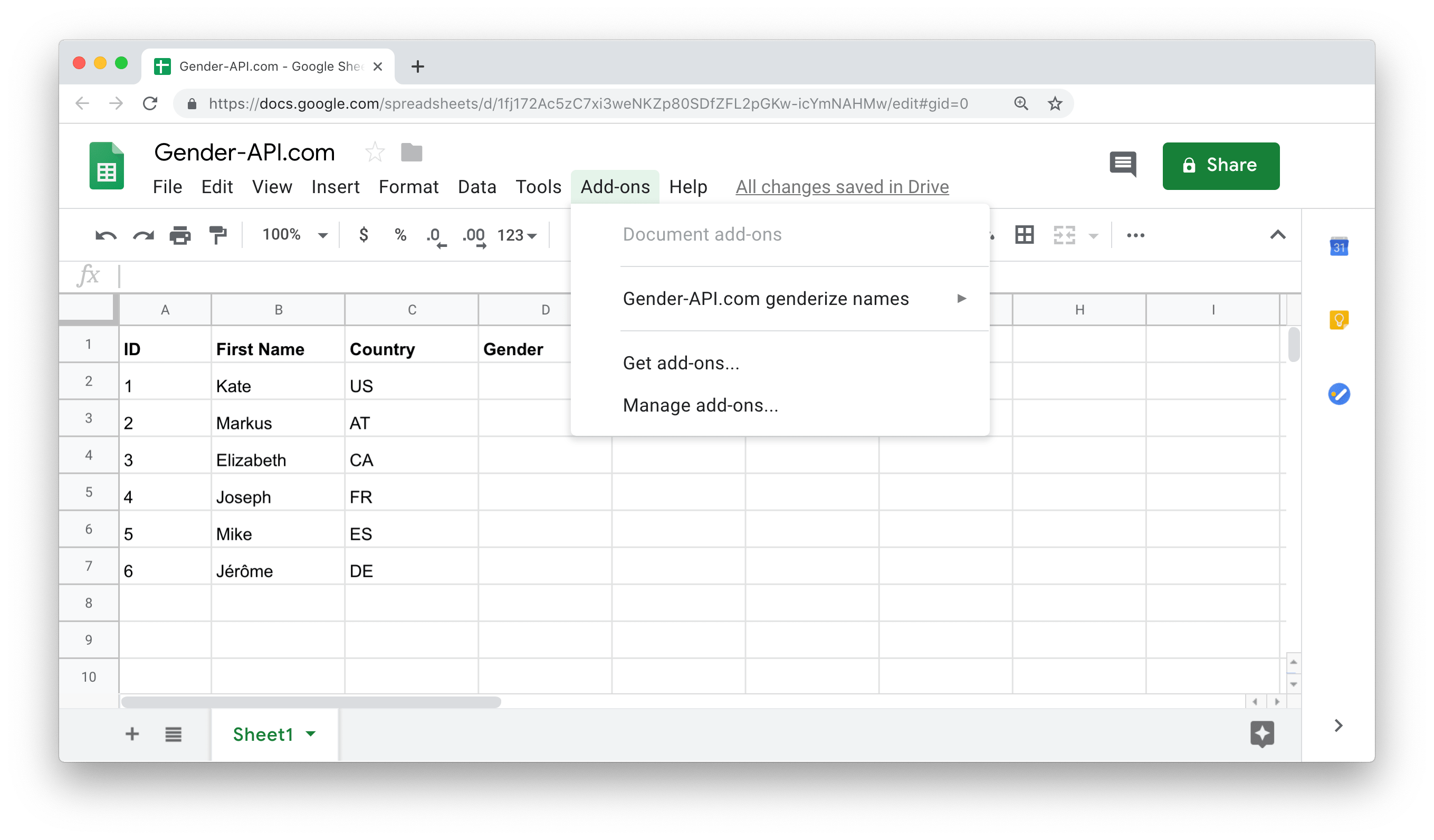
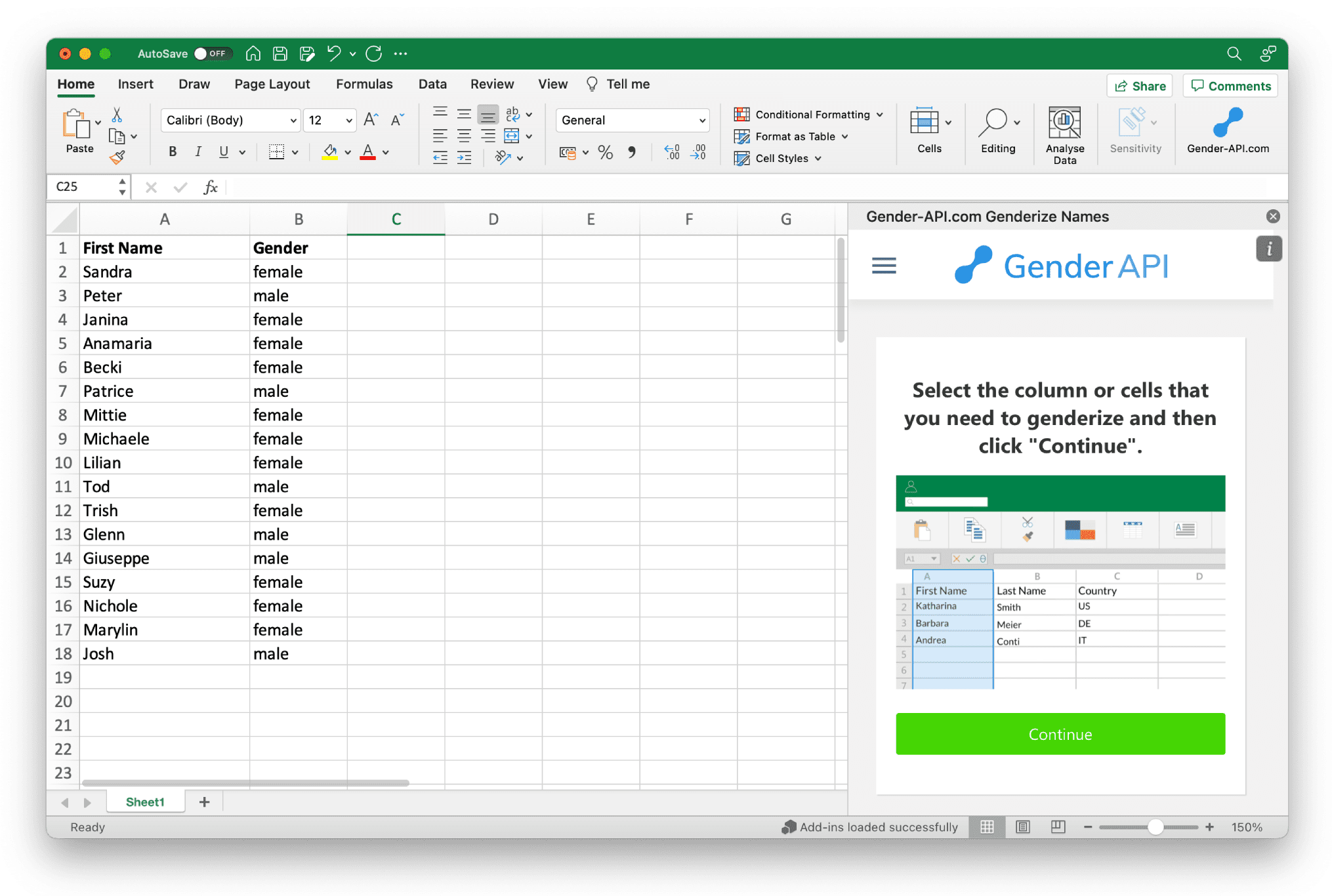
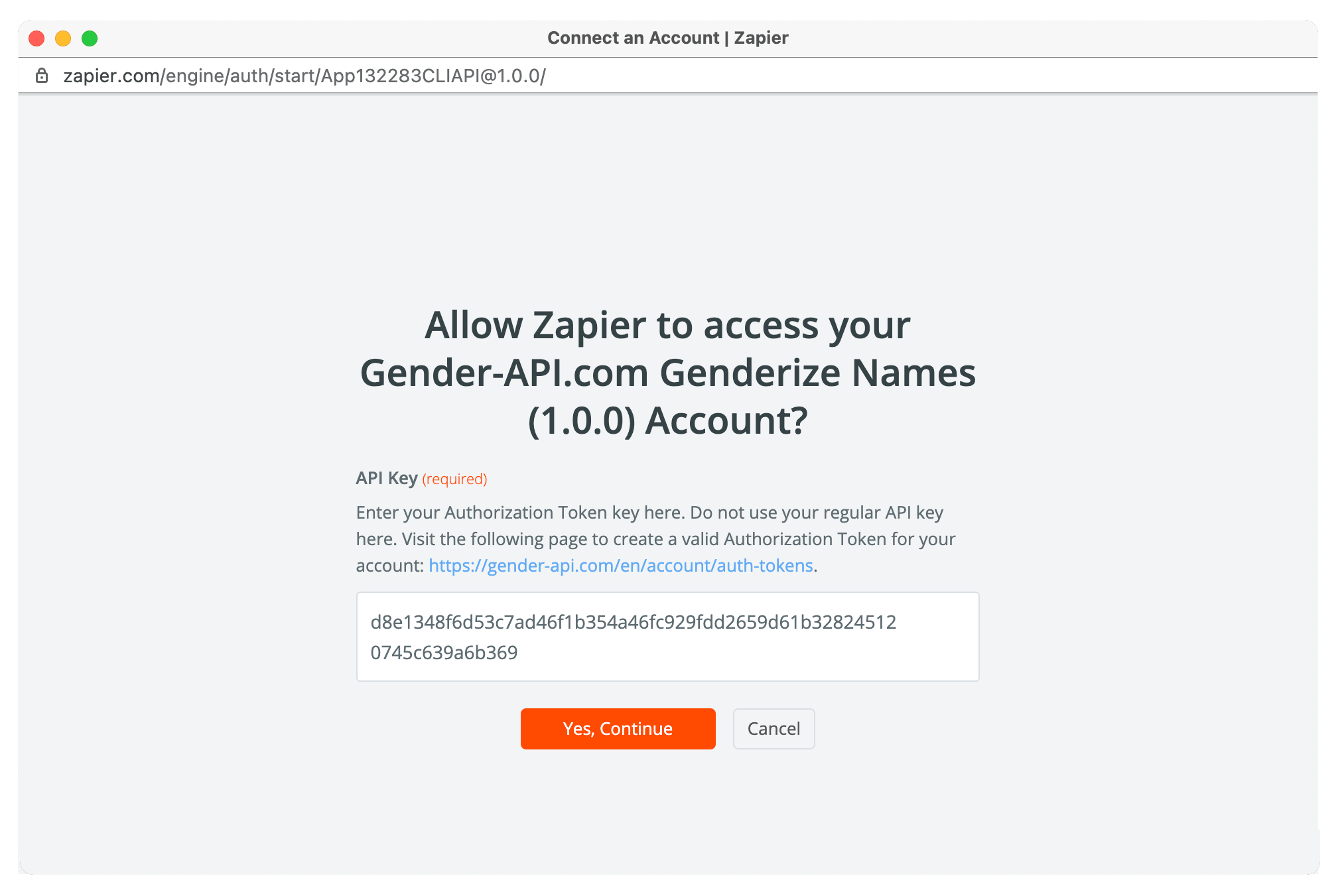


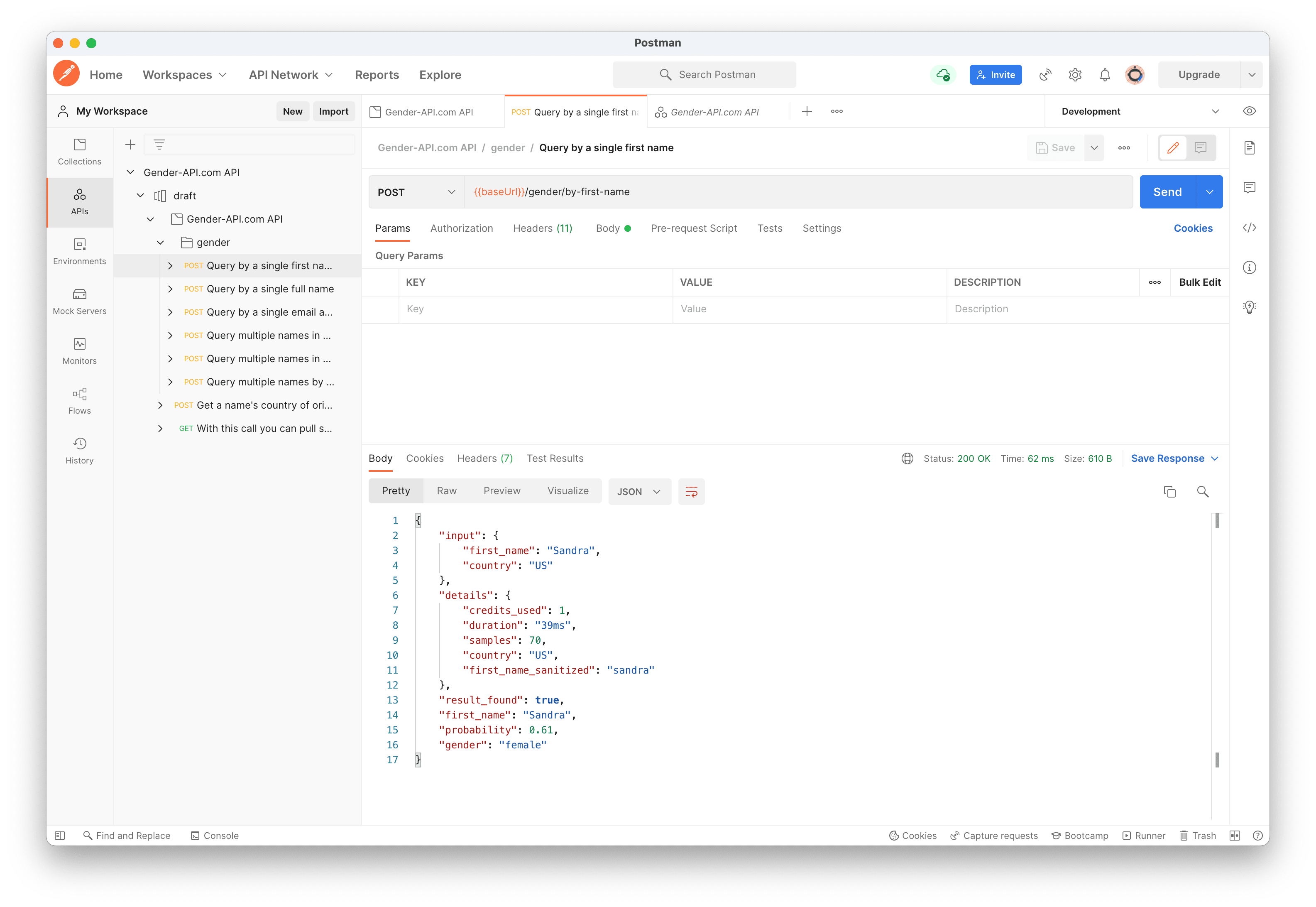


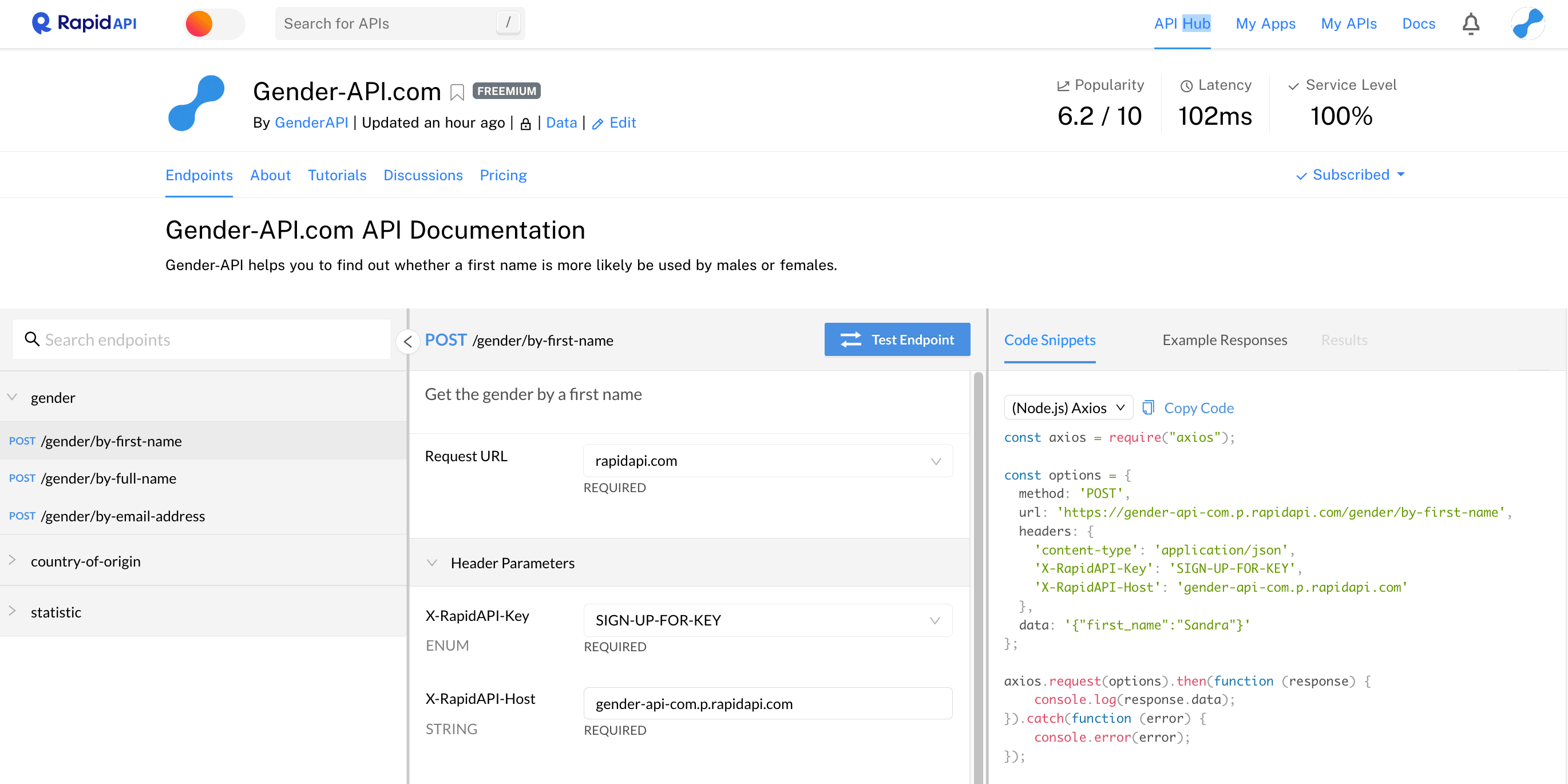
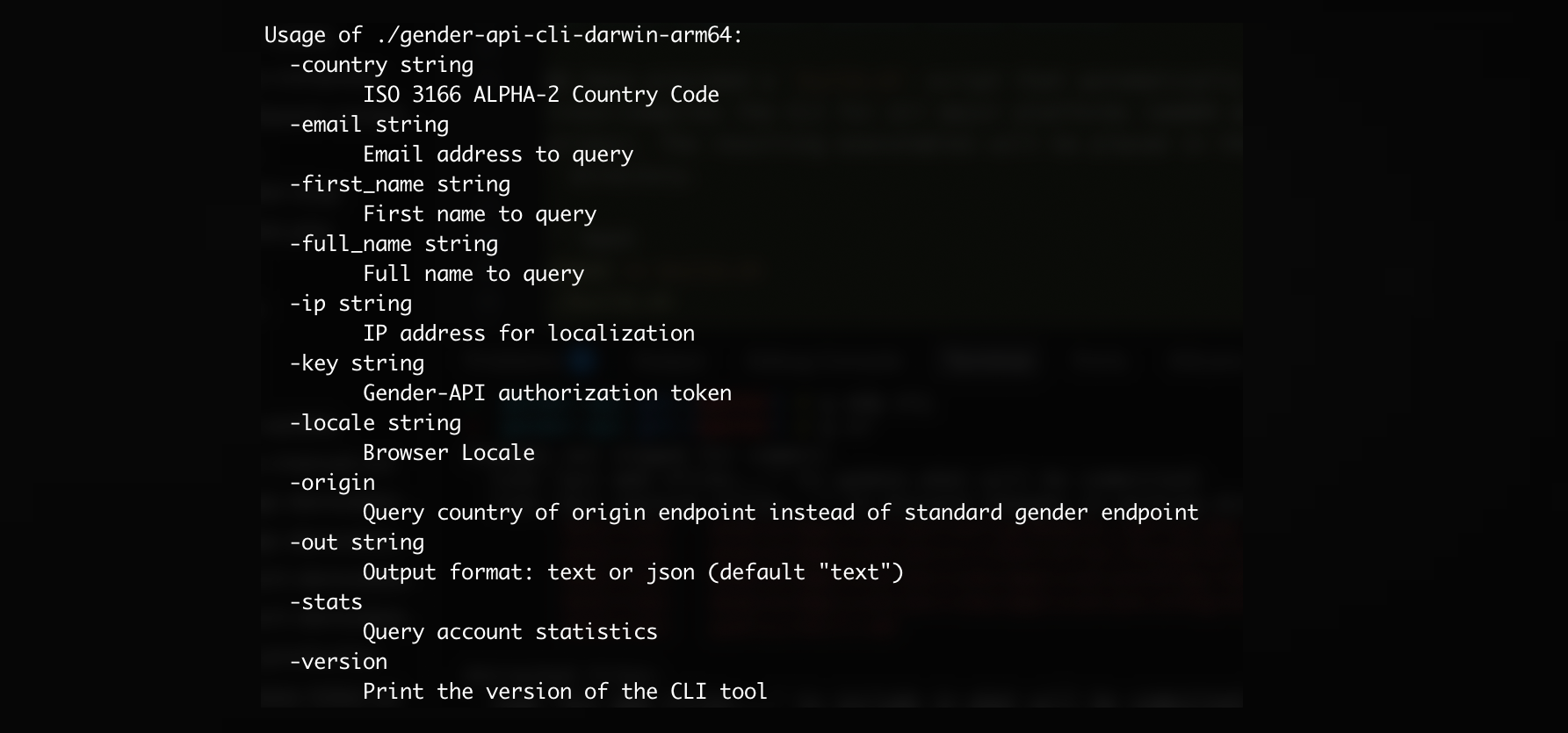
E muitas mais integrações disponíveis!
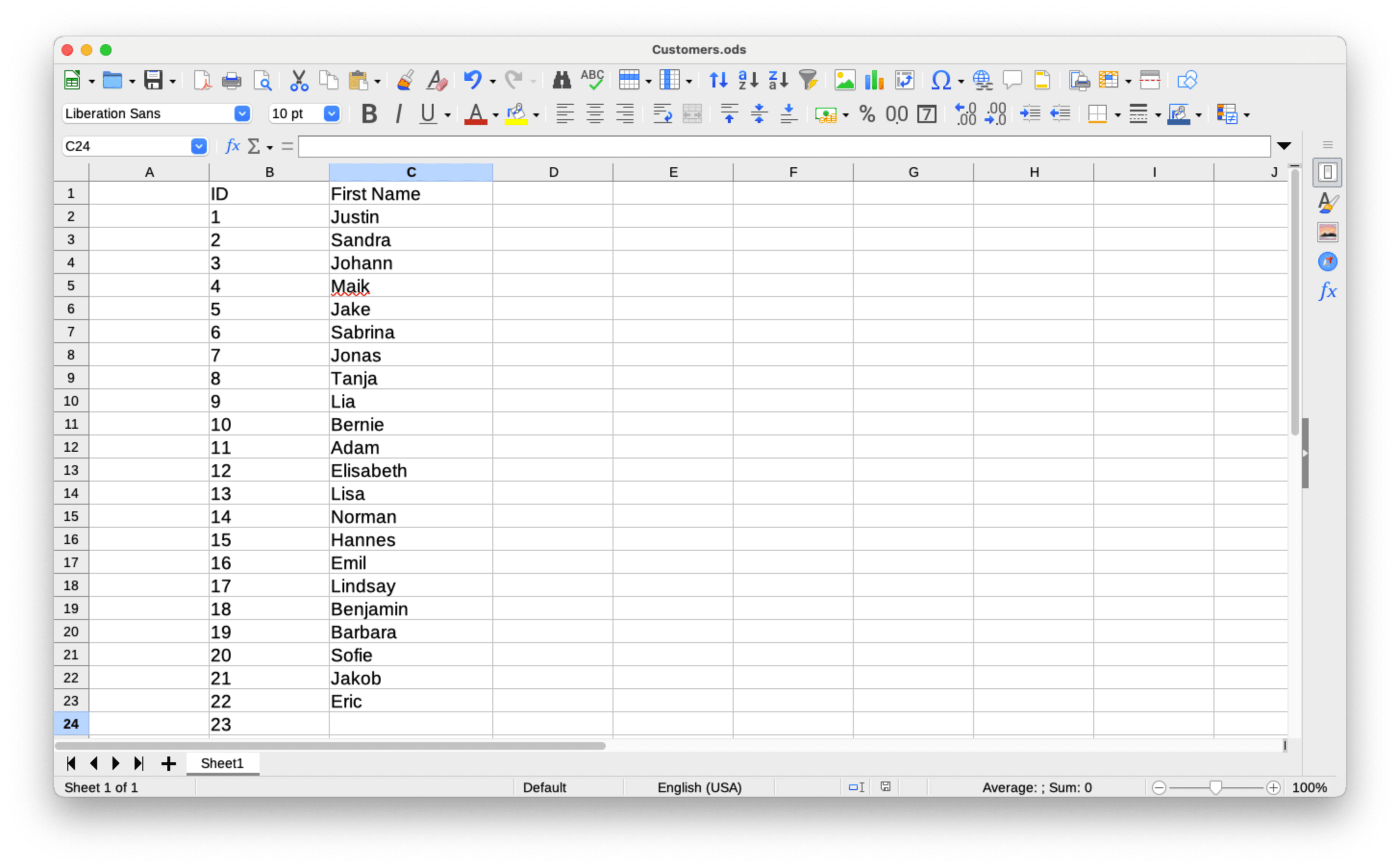
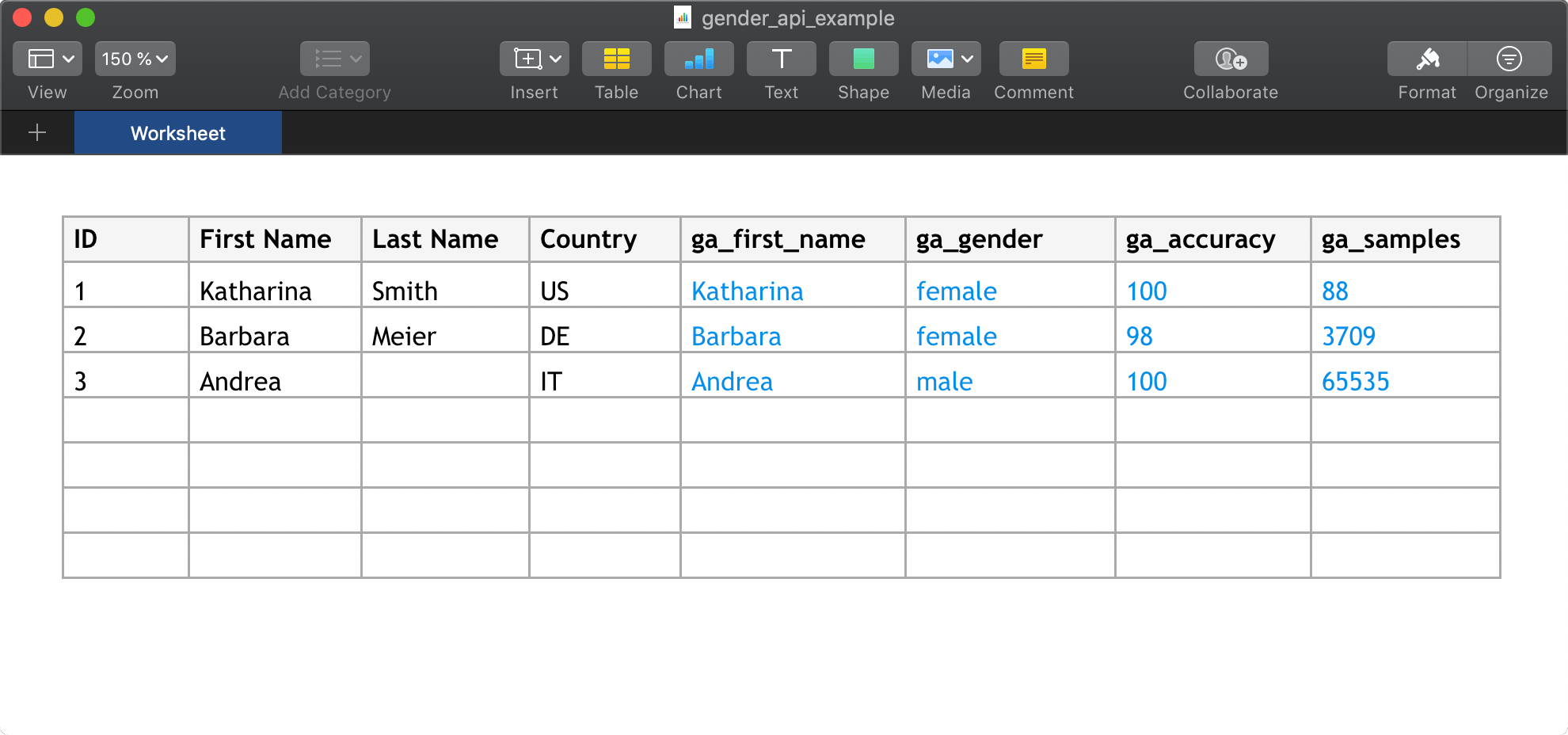
Ver Todas as IntegraçõesFaça upload de arquivos CSV com até 10.000.000 de conjuntos de dados ou arquivos Excel com até 100.000 conjuntos de dados por arquivo.

Junte-se a nós hoje e receba até 100 solicitações gratuitas todos os meses.
Saiba mais sobre o Gender API e como ele pode ajudar o seu negócio.