










InvoiceBerry के लिए Gender-API इंटीग्रेशन
Gender डेटा के साथ अपनी इनवॉइसिंग को बेहतर बनाओ
InvoiceBerry दुनिया भर के छोटे कारोबारों और फ्रीलांसर्स के लिए इनवॉइसिंग को आसान बना देता है। Gender-API को इंटीग्रेट करके तुम अपने क्लाइंट रिकॉर्ड्स में अपने-आप gender जानकारी जोड़ सकते हो, जिससे तुम पर्सनलाइज़्ड इनवॉइस कम्युनिकेशन भेज पाओगे।
यह इंटीग्रेशन तुम्हें ज़्यादा पॉलिश्ड, क्लाइंट-फोकस्ड इनवॉइस बनाने में मदद करता है—जहाँ Mr. या Ms. जैसे सही सल्यूटेशन अपने-आप लग जाते हैं। इससे क्लाइंट रिलेशनशिप मैनेजमेंट बेहतर होता है और तुम्हारी प्रोफेशनल इमेज भी और मज़बूत दिखती है।
Gender-API को InvoiceBerry के साथ एकीकृत क्यों करें?
- पेशेवर संचार: इनवॉइस और रिमाइंडर्स में उपयुक्त अभिवादन जोड़ो।
- स्वचालित एनरिचमेंट: नए क्लाइंट्स अपने-आप बनते ही जेंडर डेटा अपने-आप जोड़ दिया जाता है।
- उन्नत वैयक्तिकरण: लिंग के अनुसार उपयुक्त भाषा के साथ इनवॉइस टेम्पलेट्स को कस्टमाइज़ करो।
- समय की बचत: अब मैन्युअल तरीके से ढूंढने या सही टाइटल का अंदाज़ा लगाने की ज़रूरत नहीं।
यह कैसे काम करता है
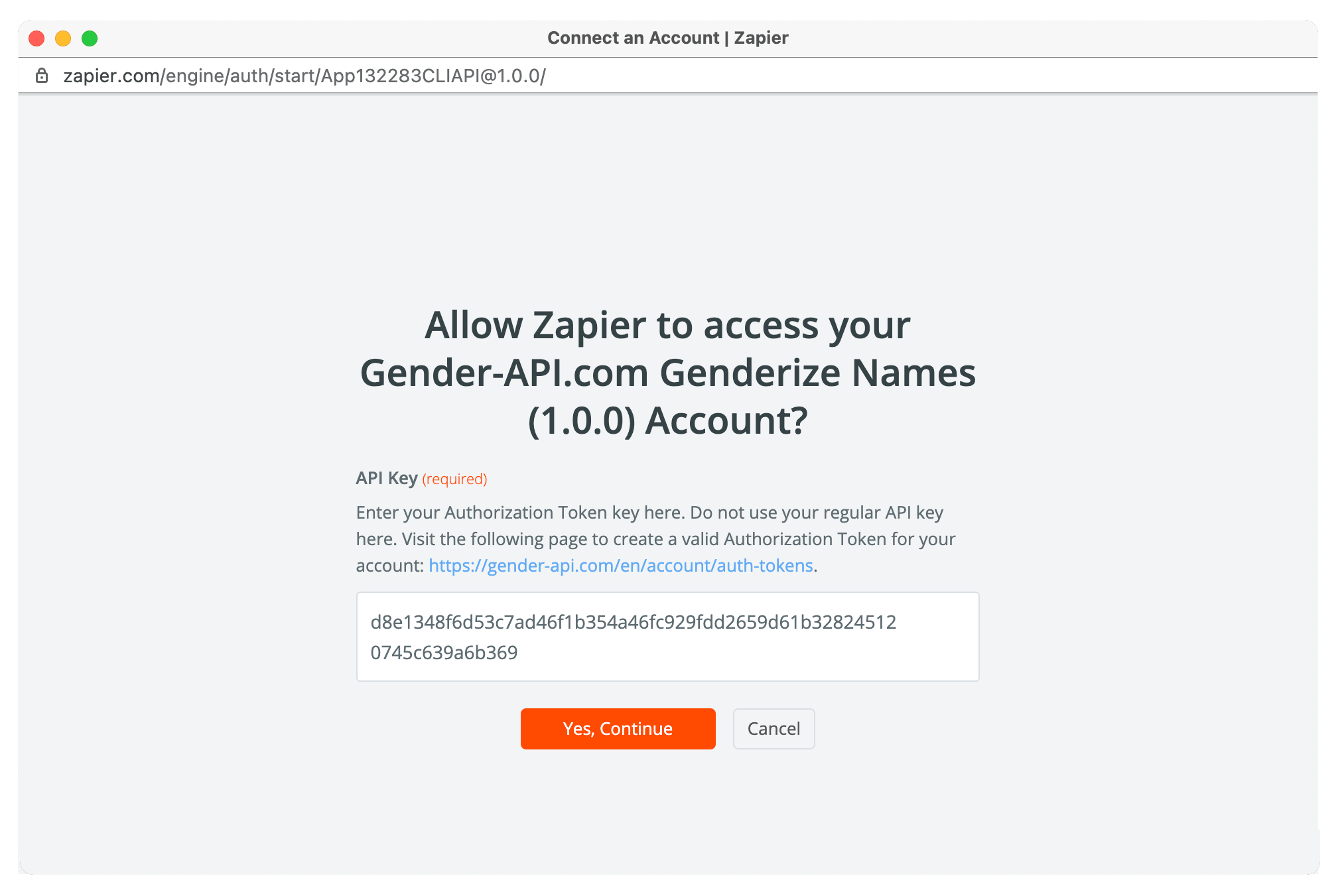
यह इंटीग्रेशन Zapier ऑटोमेशन के ज़रिए InvoiceBerry को Gender-API से जोड़ता है। यह बैकग्राउंड में चुपचाप काम करता रहता है, ताकि तुम्हारा क्लाइंट डेटा हमेशा समृद्ध और अपडेटेड बना रहे।
1. क्लाइंट कैप्चर करो
जब तुम InvoiceBerry में नया क्लाइंट जोड़ते हो, Zapier क्लाइंट की जानकारी कैप्चर करता है और विश्लेषण के लिए पहला नाम Gender-API को भेज देता है।
2. डेटा समृद्ध करें
Gender-API gender और confidence score लौटाता है। फिर यह डेटा InvoiceBerry में वापस एक custom field या note के रूप में सेव हो जाता है, ताकि तुम इसे अपने templates में आसानी से इस्तेमाल कर सको।
उपयोग के मामले
- फ्रीलांसर: Mr./Ms. टाइटल के साथ इनवॉइस को पर्सनलाइज़ करो।
- सलाहकार: ग्राहकों के साथ पेशेवर संचार।
- सेवा प्रदाता: कस्टम पेमेंट रिमाइंडर।
- एजेंसियाँ: एक समान, पेशेवर टोन बनाए रखें।
- B2B: बेहतर रिश्तों का प्रबंधन।
- Global Biz: सीमाओं के पार सांस्कृतिक शुद्धता।
इंटीग्रेशन फीचर्स
बिना किसी झंझट के इंटीग्रेशन
- नए क्लाइंट्स के लिए ऑटोमैटिक जेंडर डिटेक्शन
- लचीले डेटा स्टोरेज विकल्प
- Zapier के ज़रिए आसान सेटअप
ग्लोबल और स्मार्ट
- 178 देशों के नामों के साथ काम करता है
- विश्वास (Confidence) स्कोर शामिल हैं
- नाम का जेंडर बहुत सटीकता से निर्धारित करें
अपनी इनवॉइस को प्रोफेशनल बनाने के लिए तैयार हो?
इंटीग्रेशन शुरू करेंअक्सर पूछे जाने वाले प्रश्न
मैं अपने InvoiceBerry टेम्पलेट्स में जेंडर डेटा का उपयोग कैसे कर सकता/सकती हूँ?
तुम क्लाइंट नोट्स में gender डेटा सेव कर सकते हो और इनवॉइस कस्टमाइज़ करते समय उसे मैन्युअली रेफ़र कर सकते हो। या फिर Zapier के ज़रिए लिंक की गई एक अलग स्प्रेडशीट बना लो, जिसमें क्लाइंट के नामों को सही salutations से मैप किया जाए—और फिर उसे अपनी कम्युनिकेशन को पर्सनलाइज़ करते समय आसानी से इस्तेमाल करो।
क्या मैं Mr./Ms. जैसे gender के हिसाब से उपयुक्त टाइटल जोड़ सकता/सकती हूँ?
हाँ! एक बार तुम्हारे पास gender डेटा आ जाए, तो तुम उसका इस्तेमाल सही titles तय करने के लिए कर सकते हो। Client notes या किसी linked system में preferred title (Mr./Ms./Mrs.) सेव कर लो, फिर उसे invoice templates या email communications में manually जोड़ दो।
क्या यह अंतर्राष्ट्रीय ग्राहकों के लिए काम करता है?
बिलकुल! Gender-API 178 देशों के नामों और कई सांस्कृतिक संदर्भों को सपोर्ट करता है। यह खास तौर पर उन बिज़नेस के लिए बहुत उपयोगी है जिनके क्लाइंट अंतरराष्ट्रीय हैं—ताकि क्लाइंट कहीं से भी हों, तुम हमेशा सही सल्यूटेशन (जैसे Mr./Ms.) के साथ बात शुरू कर सको।
क्या मैं अपने मौजूदा InvoiceBerry क्लाइंट सूची को समृद्ध कर सकता हूँ?
हाँ! InvoiceBerry से अपनी क्लाइंट लिस्ट एक्सपोर्ट करो, नामों को Gender-API के ज़रिए प्रोसेस करो (CSV अपलोड या API कॉल्स के माध्यम से), और फिर इस एन्हांस्ड डेटा का इस्तेमाल करके क्लाइंट रिकॉर्ड्स अपडेट कर लो। इससे तुम मौजूदा क्लाइंट्स के साथ भी कम्युनिकेशन को ज़्यादा पर्सनलाइज़ कर पाओगे।
क्या ये फ्रीलांसर्स के लिए उपयुक्त है?
बिल्कुल! ये इंटीग्रेशन फ़्रीलांसरों और छोटे बिज़नेस के लिए एकदम परफेक्ट है, जो बिना मैन्युअल पर्सनलाइज़ेशन में समय गंवाए प्रोफेशनल इमेज दिखाना चाहते हैं। ये किफ़ायती भी है और डिटेल्स पर ध्यान देकर तुम्हें दूसरों से अलग नज़र आने में मदद करता है।
कोई भी प्रश्न है?
