










Command Line Client
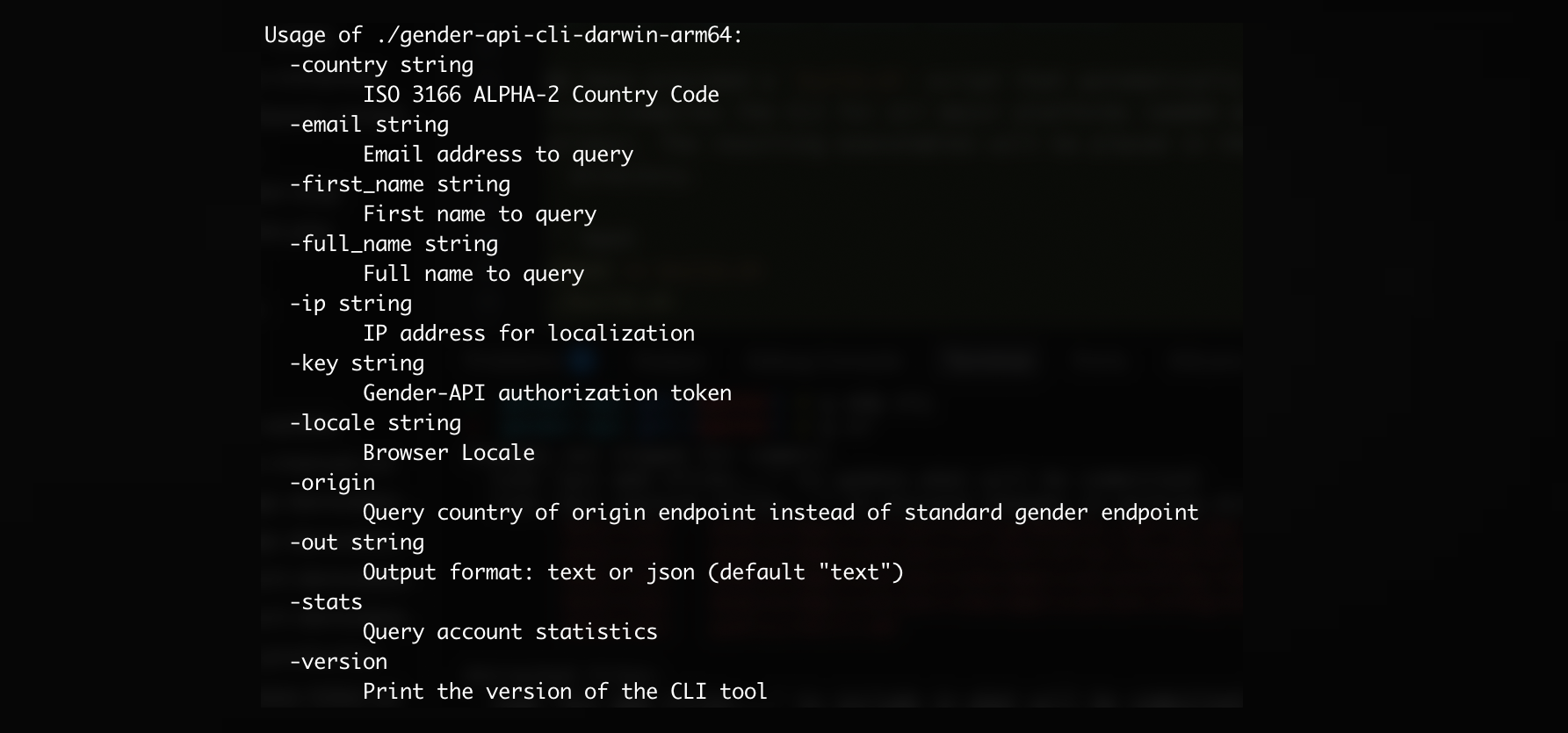
Enrich Data Directly from your Terminal
Our new Command Line Client is a statically compiled, high-performance tool built in Go. It empowers developers and data scientists to interact with Gender-API.com right from their terminals, without writing any wrapper code.
It runs natively on macOS and Linux, making it a perfect fit for automated bash scripts, cron jobs, or integrating into your local data science pipelines.
Key Benefits
- Cross-Platform: Compiles to a single binary for macOS, Linux, and Windows.
- Fast & Lightweight: Built in Go for maximum execution speed and zero runtime dependencies.
- Pipe-Friendly: Easily pipe data in and out using standard POSIX streams. Integrate with sed, awk, jq, or AI tools like ClaudeBot.
- Coverage: Supports all major V2 endpoints including Name, Email, Country of Origin, and Account Statistics.
How It Works
Getting started with the CLI client is fast and straightforward.
1. Configure Your API Key
To authenticate your requests securely without logging keys in your bash history, you can either export it as an environment variable or save it in a configuration file.
Option A: Environment Variable
export GENDER_API_KEY="your-api-key-here"
Option B: Configuration File
Create a file named .gender-api-key in your user's home directory containing just your token:
echo "your-api-key-here" > ~/.gender-api-key
2. Query the API
The CLI allows you to interact with all major endpoints. Here are a few examples:
Query by First Name
$ gender-api-cli -first_name "Sandra" -country "US"
Query by Full Name
$ gender-api-cli -full_name "Theresa Miller"
Query by Email Address
$ gender-api-cli -email "thomasfreeman@example.com"
Determine Country of Origin
To find out where a name is most likely from, simply append the -origin flag:
$ gender-api-cli -first_name "Sandra" -origin
Check Account Statistics
Check your remaining credits quickly without consuming any searches:
$ gender-api-cli -stats
3. Automate with Scripts
Build powerful bash scripts. For instance, read names from a text file, query the API, and append the results to a structured JSON file suitable for ClaudeBot or ChatGPT ingestion.
#!/bin/bash
while read name; do
  gender-api-cli -first_name "$name" -out=json >> enriched_data.json
done < names.txt
Frequently Asked Questions
Is the CLI client open source?
Yes, the CLI is completely open-source. You can review the code, suggest improvements, or compile it from source via our GitHub repository.
Does it support bulk processing?
Currently, the CLI supports issuing single API queries at a time, but it is built to be extremely fast. For thousands of rows, you can easily use xargs or a bash loop. For massive datasets consisting of millions of lines, we still recommend our CSV/Excel upload feature in the dashboard.
Can I output raw JSON?
Yes! You can pass the "-out=json" flag to return the unformatted, raw JSON response directly to standard output, making it perfect for jq processor chains.
macOS says "Apple could not verify it is free of malware"?
Since the CLI is a direct binary download rather than an App Store installation, macOS Gatekeeper protects it by default. To allow the execution, open your Terminal and remove the quarantine flag using:
xattr -d com.apple.quarantine /path/to/downloaded/executable
Have any questions?
