







Gender-API Integration for viaSocket
Add Gender Detection to Any Workflow
viaSocket is a no-code automation platform that connects more than 2,300 business applications. With the Gender-API integration you can add a gender determination step to any of those flows, so every new contact arrives already enriched.
A name enters your systems constantly: through a signup form, a checkout, a lead import, a support ticket. What is almost never captured alongside it is how to address that person. Asking for it on a form costs conversions. Guessing it in a mail merge costs credibility. Gender-API resolves it from the name you already have, and viaSocket puts that step wherever the name first appears.
Why Integrate?
- No Code Required: Add Gender-API as a step in a flow, no API client to build or host.
- Works With Your Whole Stack: Any of the 2,300+ apps viaSocket connects can be the source or the destination.
- Enriched at the Source: Contacts are completed the moment they are created, not in a later cleanup.
- Confidence You Can Branch On: Every answer carries an accuracy value, so uncertain names can take a different path.
Available Actions
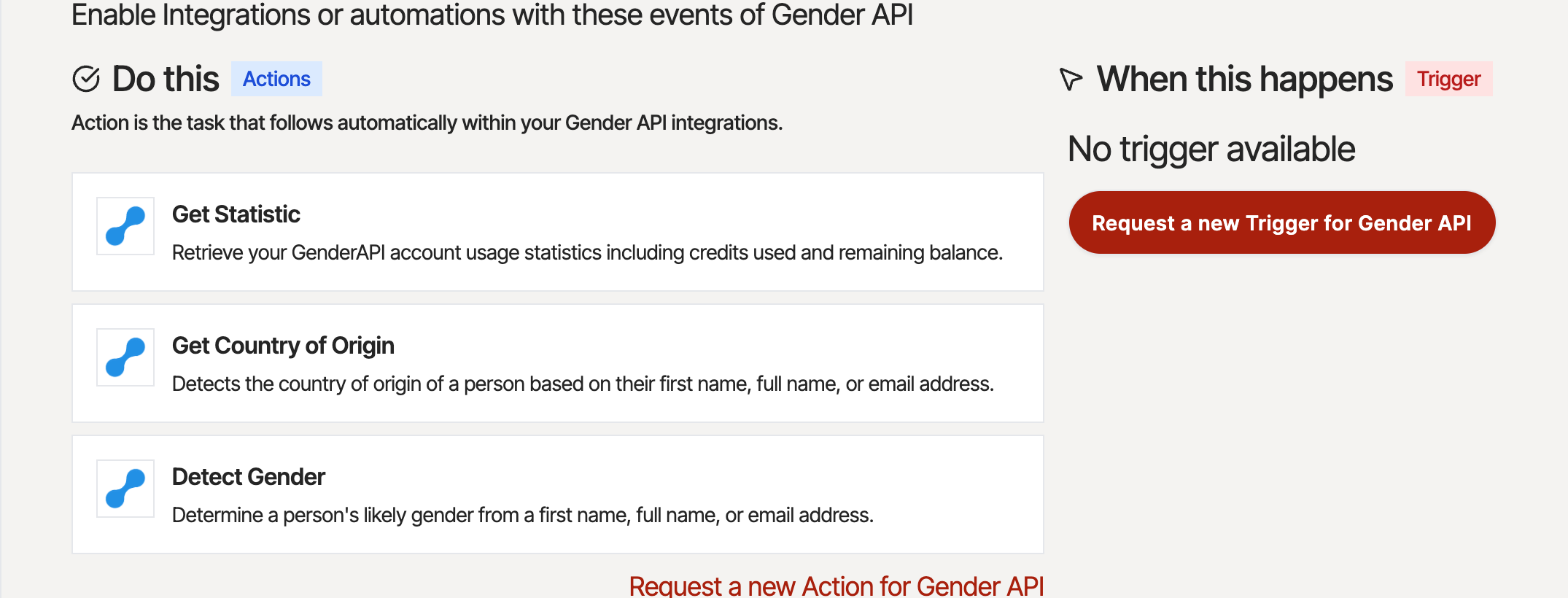
The Gender-API app in viaSocket exposes three actions. Because Gender-API answers questions rather than emitting events, it is always an action step and never the trigger of a flow.
Detect Gender
Determines the likely gender from a first name, a full name, or an email address. Full names are split automatically, and email addresses have the name extracted from the local part.
Get Country of Origin
Estimates which country a name most likely originates from. Useful for routing leads to the right regional team or picking the right language for a follow-up.
Get Statistic
Reports the credits used and remaining on your Gender-API account, so a flow can alert you before you run out.
How It Works
Setting up the integration takes a few minutes and needs nothing beyond an API key.
1. Create a Flow
In viaSocket, start a new flow with the event that produces a name: a new form response, a new CRM contact, a new order, a new spreadsheet row.
2. Connect Gender-API
Add the Gender-API app and paste an API key from your account. viaSocket stores the key encrypted, so it never appears inside the flow.
3. Map the Name
Choose the Detect Gender action and map the field from your trigger - first name, full name, or email address - to the input.
4. Use the Result
The gender and its accuracy become available to every following step: write them back to your CRM, pick a salutation, or branch the flow.
Use Cases
- Forms: Enrich every submission before it reaches your CRM.
- Email Marketing: Set the correct salutation in your newsletter tool.
- Ecommerce: Personalize order confirmations and post-purchase flows.
- Sales: Qualify and segment inbound leads on arrival.
- Support: Address tickets correctly from the first reply.
- Analytics: Understand the demographic split of your customer base.
Integration Features
Flexible Input
- First name, full name, or email address
- Automatic first and last name splitting
- Country of origin estimation
Built for Production
- 6 million names from 178 countries
- Accuracy value with every response
- GDPR compliant processing in the EU
Working with names from a specific market? The gender endpoints accept a country code, which measurably improves accuracy for names that differ by region - Andrea, for example, is predominantly male in Italy and female in Germany. See the API documentation for the full set of parameters.
Ready to enrich your contacts automatically?
View IntegrationFrequently Asked Questions
Which Gender-API actions are available in viaSocket?
Three actions are available: "Detect Gender" resolves a first name, a full name, or an email address to a gender. "Get Country of Origin" estimates the most likely country a name comes from. "Get Statistic" reports the credits used and remaining on your account.
Is there a Gender-API trigger?
No, and there does not need to be. Gender-API is a lookup service: you send a name and receive an answer. It therefore appears as an action step inside a flow, never as a trigger. Start your flow with whatever event actually creates the contact - a form submission, a new CRM record, a new order - and add Gender-API as the next step.
Do I need a paid Gender-API plan?
No. Every account includes free credits each month, which is enough to build and test a flow. You only need a paid plan once your monthly volume exceeds the free allowance. One name lookup costs one credit.
How accurate is the result?
Gender-API covers more than 6 million names from 178 countries. Every response includes an accuracy value and the number of database samples the answer is based on, so your flow can branch on confidence and skip records that are too ambiguous to act on.
What happens to the names I send?
Requests are processed in the EU and names are not stored for profiling. Gender-API is GDPR compliant and offers a data processing agreement. viaSocket stores your API key encrypted in your connection settings, so the key is never exposed in the flow itself.
Can I process an existing list instead of one contact at a time?
For large one-off lists, uploading a spreadsheet in your Gender-API account is faster and cheaper than running them through a flow one by one. Use the viaSocket integration for the continuous stream of new contacts, and the file upload for the backlog.
Have any questions?